Encrypted file sharing
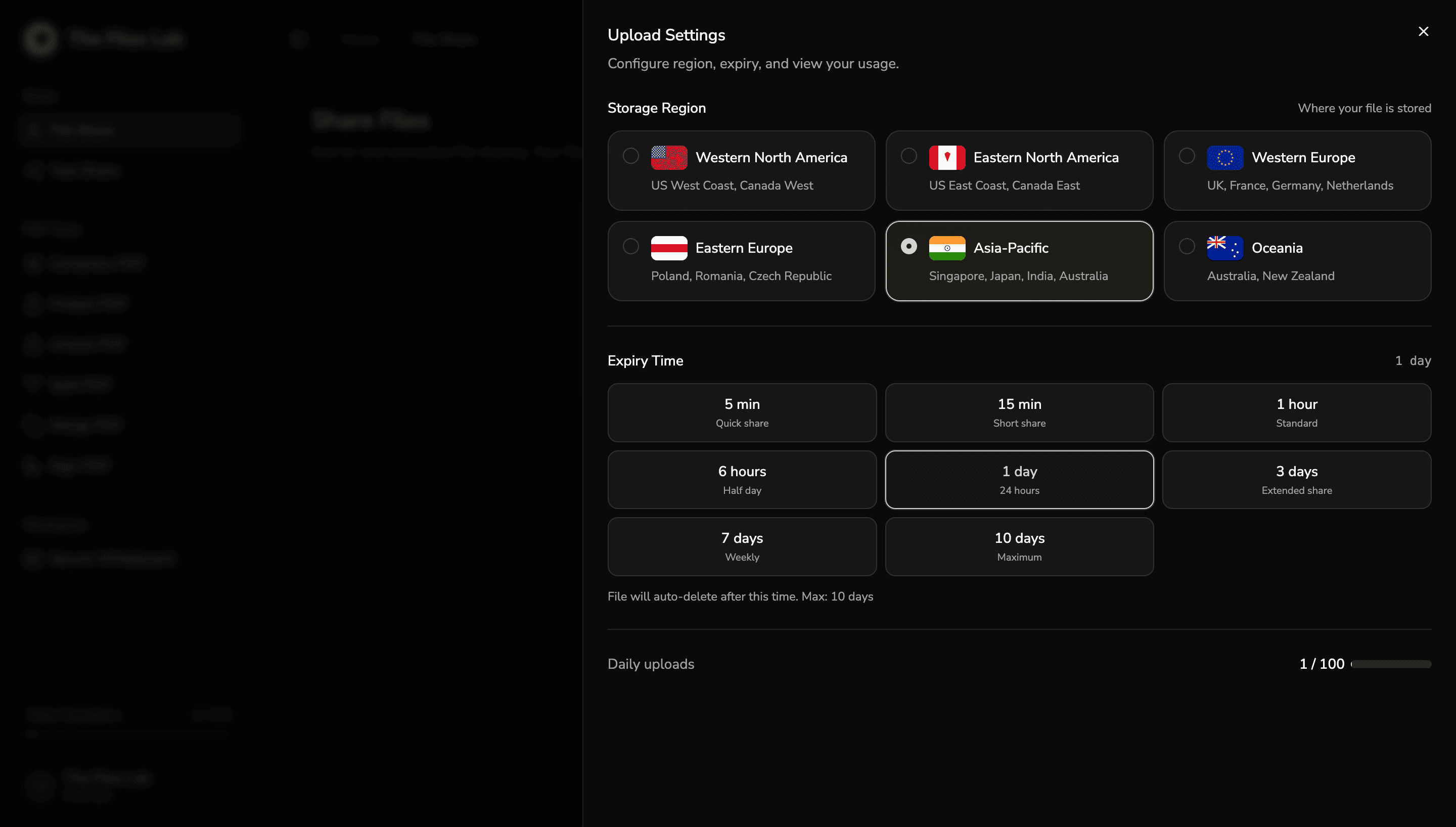
Files are encrypted in-browser before upload begins, then delivered through recipient-ready links with expiry and region controls.
The Files Lab brings encrypted file and text sharing, client-side PDF tools, secure whiteboards, and recipient-ready controls into one clean browser-first workspace.
Secure share flow
Upload, deliver, decrypt
XChaCha20-Poly1305
Selectable before upload
Plan-aware auto-delete
Ciphertext only
Share secure links with QR delivery and in-browser unlock flows.
Compress, merge, split, protect, unlock, sign
Private by default, encrypted when shared
Notes and snippets with QR delivery
Core capabilities
The Files Lab is structured around product truths already present in the app: in-browser encryption, client-side processing, region and expiry controls, and clean recipient handoff.
Files are encrypted in-browser before upload begins, then delivered through recipient-ready links with expiry and region controls.
Share notes, snippets, and structured text with the same zero-knowledge flow, plus QR handoff and syntax-aware editing.
Compress, merge, split, protect, unlock, and sign PDFs directly in your browser with no document upload required for the processing step.
Boards stay in browser storage by default, while encrypted snapshot sharing gives teams a safe handoff path when needed.
Recipients unlock encrypted file, text, and whiteboard flows in the browser so sensitive passwords and decrypted content stay on-device.
Controls
File Share, Text Share, and encrypted whiteboard snapshots all inherit the same settings surface so operational controls stay consistent across the product.

Workflow
The product keeps the flow understandable: derive the key locally, upload ciphertext, hand off a secure link, and decrypt in the browser on the receiving side.
Passwords become encryption keys in-browser using scrypt before any network upload starts.
Encrypted chunks move through signed upload flows with region and expiry controls already set, while plaintext never leaves the device.
Recipients open secure links or QR handoffs and decrypt file, text, or whiteboard payloads in-browser so sensitive inputs stay local.
Encryption hub
One browser-first model spans upload, handoff, access, and recovery. The same private-by-default foundation shows up across files, text, whiteboards, recipient decrypt flows, account protection, and operational controls.
The Files Lab
Browser-first encryption control plane
In-browser encryption with ciphertext-only upload.
Secure notes and snippets with private link delivery.
Browser-stored boards with encrypted snapshot sharing.
Recipients unlock file, text, and board payloads locally.
Selectable storage region and plan-aware auto-delete.
Passkeys and Turnstile-backed auth harden account access.
Encryption is not a single checkbox here. It acts as the control plane across sharing, access, delivery, and recovery, while account-level trust features keep the surrounding workflow equally disciplined.
Document tools
Document operations follow the same product discipline as encrypted sharing: clear controls, live feedback, and client-side processing for the actual file work.
Reduce file size with secure client-side processing.
Combine PDFs and supported images into one export.
Break documents by range, page selection, or size.
Use drawn, uploaded, typed, or PKCS#12 signatures.
Trust surface
This is not a separate security brochure. These are user-facing platform features already present in the app: passkeys, protected sign-in, usage cues, and transparent billing management.
Account security extends beyond shares with passkey support and device-aware session visibility in settings.
Login supports Google, GitHub, magic links, and OTP while Cloudflare Turnstile protects the critical auth actions.
Daily usage, upload capacity, and expiry ranges are surfaced directly in product flows instead of hidden in docs.
Paid subscriptions run through Razorpay, with subscription state and invoice history available in the account area.
The product surface is designed around real browser workflows, including passkeys, mobile sessions, and local board persistence.
Secure links, QR access, and in-browser unlock flows keep delivery simple without weakening the privacy model.
Encrypt file shares, run PDF workflows in your browser, and keep private whiteboard collaboration under your control from the first upload.
Start SharingView Pricing